








Free delivery on orders over €60.
Imagine a school everyone loves to be part of – students engaged, teachers inspired, and administrators proud. With Classwise, this vision becomes a reality.
No smartphones or student
computers needed
Every modality and stage of
teaching
Every school subject
in YOUR curriculum
With real-time
valuable feedback
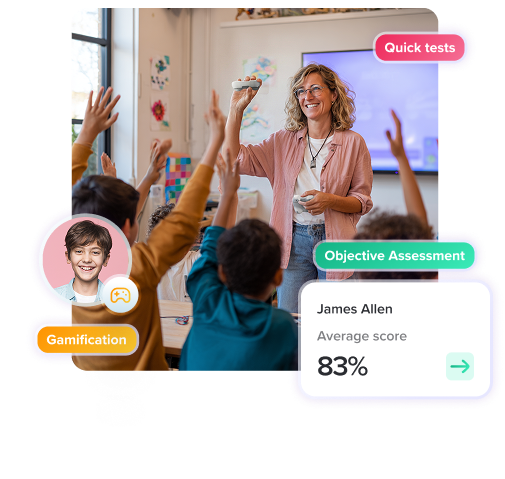
We enhance teachers’ existing methods and curriculum, turning everyday learning into an exciting experience, while eliminating smartphones from the classroom.
Simplicity Providing for Excellence. The system was designed for non-technical people to be exceptional.
Picture-based quizzes engage young children and help them stay focused on the task. Engagement without screens and costly devices.
Gamification brings an element of play to education, making every lesson engaging.
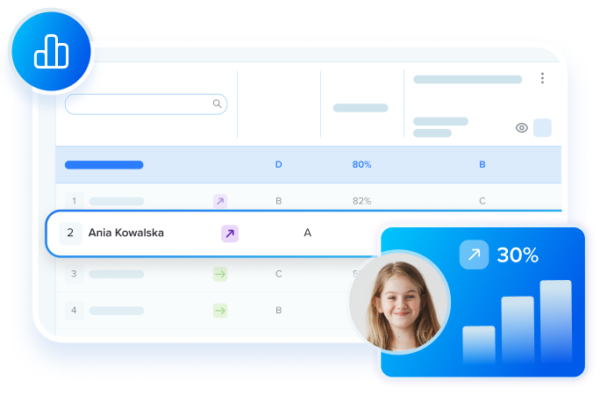
Boost independence with interactive learning and teachers with real-time learning insights.
Increase motivation and accountability by showing instant progress reports that make it easier to prepare for exams.
You can use Classwise in any school subject. If the Library of ready-made projects does not currently contain resources that interest you and that you would like to use in your classes, you can use the Content Creator to create your own lessons and resources, such as presentations, educational games or quizzes.
Yes, you can buy each element of the Classwise system separately, i.e. the Docking Station in a set with Control Hub or Classpads. Classpads can also be purchased individually or in sets of 10.
There is no limit to the number of classes or teachers using one set. Each teacher can create an account in the app and create any number of classes in it.
Yes, Classpads can be mixed and swapped between kits. Please remember to pair them back with their original Control Hub after each swap.
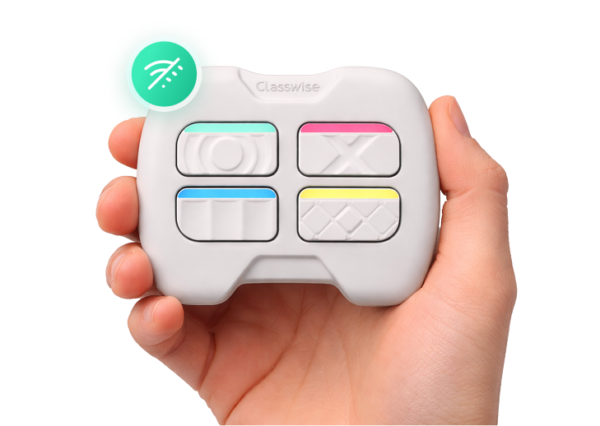
Each kit consists of a Docking Station to charge and carry the controllers, a Control Hub to manage and connect them to a computer and a specific number of Classpads for the students.
Standard kits come with 10, 20, 30 or 40 Classpads. Of course, you can use any number of Classpads, but no more than 40, as this is the maximum capacity of the Docking Station.
| Cookie | Duration | Description |
|---|---|---|
| cookielawinfo-checkbox-analytics | 11 months | This cookie is set by GDPR Cookie Consent plugin. The cookie is used to store the user consent for the cookies in the category "Analytics". |
| cookielawinfo-checkbox-functional | 11 months | The cookie is set by GDPR cookie consent to record the user consent for the cookies in the category "Functional". |
| cookielawinfo-checkbox-necessary | 11 months | This cookie is set by GDPR Cookie Consent plugin. The cookies is used to store the user consent for the cookies in the category "Necessary". |
| cookielawinfo-checkbox-others | 11 months | This cookie is set by GDPR Cookie Consent plugin. The cookie is used to store the user consent for the cookies in the category "Other. |
| cookielawinfo-checkbox-performance | 11 months | This cookie is set by GDPR Cookie Consent plugin. The cookie is used to store the user consent for the cookies in the category "Performance". |
| viewed_cookie_policy | 11 months | The cookie is set by the GDPR Cookie Consent plugin and is used to store whether or not user has consented to the use of cookies. It does not store any personal data. |